
GIS & tax-map teams
Move from a parcel or owner question to filtered records and an export. Inspect identifiers and missing values before handing information to another department.
PARCELMETRIC / COUNTY GIS, AUDITOR & ENGINEERING TEAMS
Find the properties, inspect the records, and hand over a research list your colleagues can use.
ParcelMetric connects parcel search, maps, recorded owner research, filters and exports in one browser workspace. Give staff a practical way to work with parcel information across repeated requests.
Public software demo: Franklin, Allen and Putnam counties. Saved February–March 2026 records; source dates are shown in the application.
TRY A REAL RESEARCH TASK
Use this example to evaluate the workflow. Recorded values are assessment attributes, not asking prices or an appraisal.
Open Query/Report. Select Ohio and Franklin County. Enter 10 for minimum acres and 500,000 for maximum value, then search.
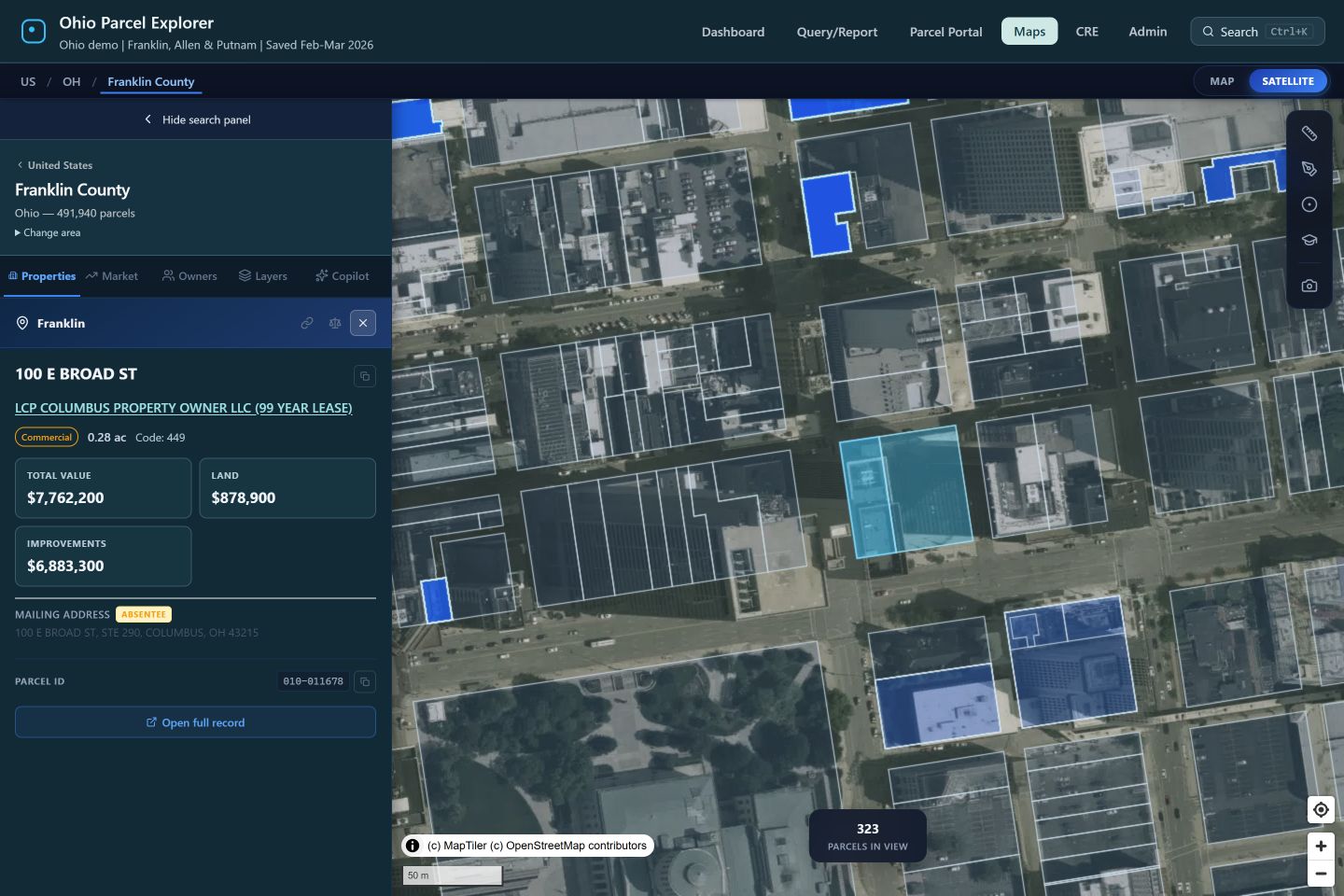
Open a parcel to inspect its recorded owner, available property attributes and map. Use the owner workflow to explore other matching records.
Export the query results to CSV. Keep parcel identifiers as text, review missing fields, and check the source edition before relying on the list.
BUILT AROUND THE HANDOFF
Move from a parcel or owner question to filtered records and an export. Inspect identifiers and missing values before handing information to another department.
Investigate recorded owner, acreage and value attributes together. Use the resulting list for research and review while current official records remain the authority.
Build an initial parcel research list, view the mapped context, and identify the records needing follow-up. Survey, title and regulatory determinations stay with the appropriate professionals.
Evaluate whether a connected workflow makes repeat requests easier to complete and review. Compare the actual steps with the tools your team already has.
CHECK THE DATA, TOO
In the prepared Putnam sample, a numeric assessment identifier lost its leading zero. The export restores it through a unique match to official parcel identifiers. Ambiguous matches remain unresolved.
10010100000Matched text ID 010010100000This is a research workflow to evaluate alongside your existing systems. A proposed deployment must define source authority, update cadence, field mapping, access, integrations and outputs. The public demo is not a live connection to a county system.
ParcelMetric includes Copilot for supported parcel queries and map actions. Its results still need to be inspected against the returned fields and records. The standard search and filter controls remain available.
The public app currently includes Franklin, Allen and Putnam. Available downloadable county data is listed separately in Coverage. Ask about your county and required fields so we can confirm the sources and work involved.
Bring one repeated research request. We demonstrate the relevant workflow, document connection requirements and define an output your team can check. Any paid work is separately scoped and agreed before starting.
BRING ONE REQUEST YOUR TEAM GETS EVERY WEEK
Speak directly with the builder. Start with the question, the county and the output your colleagues need.